Reword a blog intro that repeats its own headline
Run this shortcut without leaving the app where you are writing.
AI Paraphraser
An AI paraphraser for Mac and Windows: select text in any app, press Cmd/Ctrl+Shift+P, and replace it with a clearer rewrite. No copy-paste, no new tab.
Run this shortcut without leaving the app where you are writing.
Run this shortcut without leaving the app where you are writing.
Run this shortcut without leaving the app where you are writing.
Choose a shortcut, review the rewrite, and replace the selected text without leaving your app.
Choose a shortcut, review the rewrite, and replace the selected text without leaving your app.
Choose a shortcut, review the rewrite, and replace the selected text without leaving your app.
Blog intro, WordPress editor
Cmd/Ctrl Shift PBefore
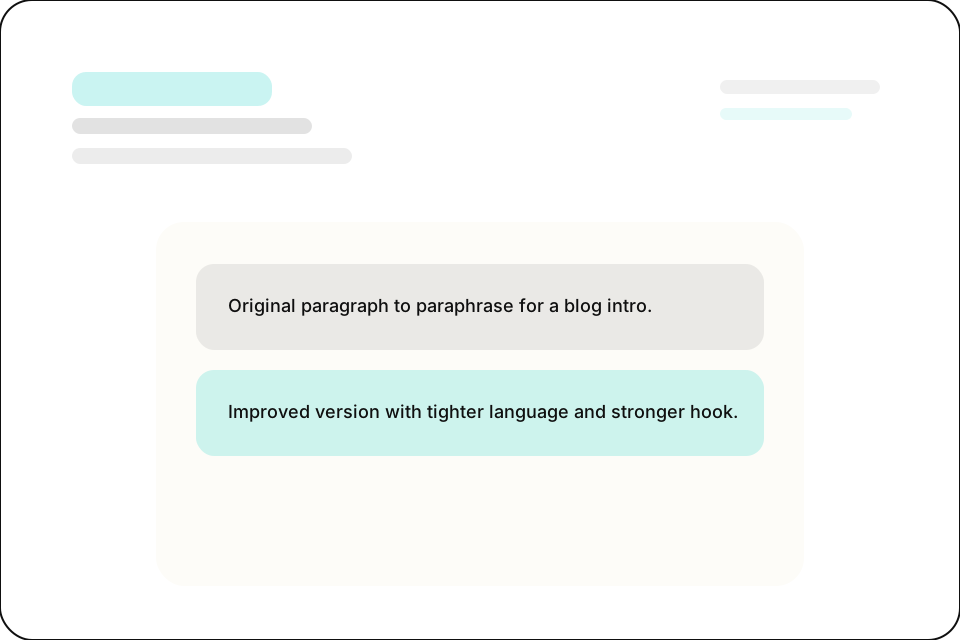
In this post we are going to talk about why onboarding emails matter and why onboarding emails are so important for SaaS companies that want users to actually stick around after signing up.
After
SaaS trials often go quiet within days. A good onboarding email gives new users a reason to come back. Here is what the good ones do differently.
Release note, reworded for the customer newsletter
Cmd/Ctrl Shift PBefore
We have released the new export functionality which allows users to export their data in CSV format from the settings page within the application.
After
You can now export your data as a CSV. Open Settings, hit Export, and download everything in one click.
Same answer, restated for the docs site
Cmd/Ctrl Shift PBefore
If you forgot your password you can click on the forgot password link and you will receive an email with the instructions to reset the password.
After
To reset your password, click 'Forgot password?' on the sign-in screen, then follow the link in the email we send you.
Paste something you wrote this week, or write it in your language. No account needed.
Start with 30 free rewrites a month. Pro adds unlimited rewrites for one writer. Team adds shared shortcuts, workflows, and company context.
For trying the workflow
Select, rewrite, and replace text in any app, with 30 rewrites each month.
For one active writer
$15 billed monthly
Unlimited rewrites for your own styles, workflows, and dictation.
For shared voice and policy
$25 billed monthly. Starts at 2 seats.
Your company's approved language, one hotkey away for everyone.
Rolling this out to a support or sales team? Run a 3-week pilot →
Every new account starts with a free 14-day Team trial: no card required, up to 10 trial seats, then Free plan limits unless you upgrade.
SSO/SCIM, audit logs, security review, and rollout help for 25+ seats.
FAQ
Partly, yes. The Free plan costs $0 and includes 30 rewrites per month at up to 1,000 characters each — enough to paraphrase a paragraph, a reply, or a batch of headlines anywhere on your Mac or Windows machine. If you paraphrase all day, Pro removes the cap: unlimited rewrites at up to 10,000 characters per selection, premium models, voice dictation, and API access for $12/mo billed annually ($144/yr) or $15 month to month. Every new account also starts with a 14-day free trial of the Team plan — no card required — so you can test everything, including shared styles and company context, before deciding whether Free covers you. When the trial ends you keep your account and drop to the Free limits rather than getting locked out, so trying it costs nothing either way.
The workflow. Paraphrasing sites live in a browser tab: you copy text out of your document, paste it into the site, generate, then paste the result back and fix the formatting. Rewrait is a native Mac and Windows app on a system-wide hotkey, so that loop disappears — select text where it already lives (Gmail, Word, Notion, your CMS), press Cmd/Ctrl+Shift+P, and the paraphrase replaces the original in place. The audience differs too. QuillBot grew up around academic paraphrasing, while Rewrait is built for work writing: you save shortcuts for the rewrites you repeat — soften this reply, tighten this intro — and every rewrite offers Warmer, Shorter, and More direct variants, so you choose the version that fits instead of re-rolling the same prompt and hoping the next spin lands.
Rewrait rewrites the text you selected rather than generating something new, so it preserves your facts, names, numbers, and intent. Nothing is replaced automatically. The rewrite appears next to your original, and you decide whether to insert it. You can also compare Warmer, Shorter, and More direct variants or keep your original untouched. Selections run up to 1,000 characters on the Free plan and 10,000 on paid plans, which keeps each paraphrase focused on a passage you can review rather than a whole document you would have to re-read line by line to trust.
Not unless you ask it to. Rewrait is private by default: your rewrite history is off unless you opt in, your text is processed on demand to produce the rewrite and is never used to train models, and even the anonymous feedback events that help improve the product never include your text. There is no background reading either — Rewrait only ever sees the words you explicitly select and submit with the hotkey, not your screen or your clipboard at large. If you do enable history because you like having past rewrites to reuse, you can turn it off again whenever you want. For teams that need the commitment in writing, the Team plan carries an explicit no-training guarantee, and the security page lists exactly which subprocessors handle what.
Select your draft, run a shortcut, and review the rewrite before replacing it.