
Commit messages that explain what changed and why
Run this shortcut without leaving the app where you are writing.
VS Code
An AI writing assistant for VS Code that cleans up commit messages, PR descriptions, and review comments. No extension — works over any editor at the OS level.
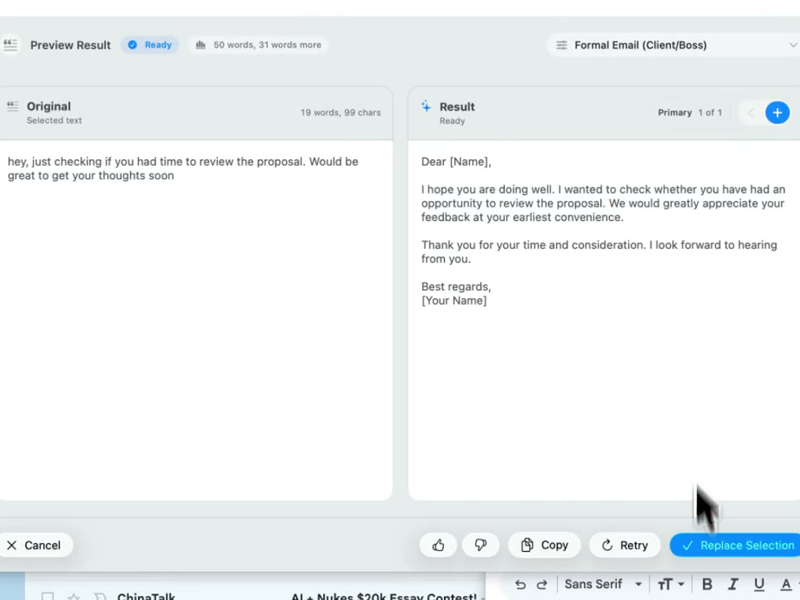
Run this shortcut without leaving the app where you are writing.
Run this shortcut without leaving the app where you are writing.
Run this shortcut without leaving the app where you are writing.
Choose a shortcut, review the rewrite, and replace the selected text without leaving your app.
Choose a shortcut, review the rewrite, and replace the selected text without leaving your app.
Choose a shortcut, review the rewrite, and replace the selected text without leaving your app.
Commit message for a fix you barely remember making
Cmd/Ctrl Shift PBefore
fixed the thing where retry logic would hammer the api forever bc the backoff wasn't actually backing off, also cleaned up some logging while i was in there
After
fix(retry): apply exponential backoff between attempts. The backoff was never applied, so failed requests retried at a fixed interval and hammered the API. Also removes noisy debug logging in the retry path.
PR description written at 6pm on a Friday
Cmd/Ctrl Shift PBefore
this moves the auth check into middleware so we don't repeat it in every handler, also fixes that redirect loop on logout that QA found, changes are mostly in session.ex
After
What: moves the auth check into shared middleware, removing the per-handler duplication. Also fixes the logout redirect loop QA reported. Where to review: the bulk of the change is in session.ex.
Code review comment that was about to start a fight
Cmd/Ctrl Shift PBefore
this is way overcomplicated, why didn't you just use the existing helper?? now we have two ways of doing the same thing
After
Could we use the existing helper here instead? This adds a second path for the same logic, and we'll have to keep both in sync. If the helper doesn't cover this case, I'm happy to pair on extending it.
Start with 30 free rewrites a month. Pro adds unlimited rewrites for one writer. Team adds shared shortcuts, workflows, and company context.
For trying the workflow
Select, rewrite, and replace text in any app, with 30 rewrites each month.
For one active writer
$15 billed monthly
Unlimited rewrites for your own styles, workflows, and dictation.
For shared voice and policy
$25 billed monthly. Starts at 2 seats.
Your company's approved language, one hotkey away for everyone.
Rolling this out to a support or sales team? Run a 3-week pilot →
Every new account starts with a free 14-day Team trial: no card required, up to 10 trial seats, then Free plan limits unless you upgrade.
SSO/SCIM, audit logs, security review, and rollout help for 25+ seats.
FAQ
No — Rewrait is a native Mac and Windows app that works at the operating-system level, over any window. There is nothing to install from the VS Code marketplace, nothing in your extensions list, and no impact on editor startup. Select prose anywhere — the Source Control commit box, a README, a code comment, a docstring — press the hotkey, and replace the selection with the rewrite. Because it isn't a VS Code plugin, it also isn't limited to VS Code: the same shortcut works in JetBrains IDEs, vim in a terminal, and — maybe most usefully — in the browser, on the GitHub PR descriptions and review comments where a lot of developer writing actually happens. If you switch editors next year, your writing layer comes with you: one tool for the prose around your code, everywhere that prose lives.
There is an overlap, so here is exactly how it behaves. Rewrait registers its shortcut globally with the operating system, so while Rewrait is running, pressing Cmd/Ctrl+Shift+P with text selected triggers a rewrite — it takes priority over in-app bindings, including VS Code's command palette. Two practical ways to live with that. First, VS Code binds the command palette to F1 as well — same palette, no conflict — and remapping the palette in VS Code's keyboard shortcuts takes a minute if you prefer a different key. Second, much of the writing you'd rewrite lives outside the editor pane anyway: commit boxes, PR pages in the browser, Slack threads about the bug. Many developers keep F1 for the palette inside the editor and the hotkey for everywhere else. If that trade-off doesn't fit your setup, better to know before installing — we'd rather be upfront than surprise you on day one.
Copilot writes code; Rewrait handles the prose around it. Copilot autocompletes functions and, in chat form, explains and refactors code. Rewrait takes the English you typed — a rambling commit message, a PR description that buries the risk, a review comment that reads harsher than you meant — and rewrites it to be clear and readable, in place. Copilot focuses on code generation and code assistance. Rewrait focuses on prose such as commit messages, PR descriptions, and review comments. They run side by side because Rewrait is not an editor extension. Clear commit messages and PR descriptions help future reviewers understand why a change was made, especially when debugging it later.
The rewrite engine is designed to transform prose while preserving markdown structure, links, file paths, inline code, command examples, and placeholders. When rewriting a README section or docstring, Rewrait is designed to preserve fenced code blocks, command examples, and parameter names. You also control the blast radius with your selection: select one paragraph and only that paragraph is rewritten — the rest of the file is never touched, because Rewrait only ever sees the selected text. Every rewrite is shown for review before replacement, so you can discard a result you do not want. Selections up to 10,000 characters are supported on Pro and Team (1,000 on Free), which comfortably covers a README's installation section or a long PR description in one pass.
Select your draft, run a shortcut, and review the rewrite before replacing it.